My Experience with NGINX
Recently, I started working with servers and came across NGINX. Honestly, I had no idea what to expect. All I wanted was to serve a simple website on my VPS and keep the domain name active. I thought it would be as easy as uploading files and calling it a day. However, it turns out there’s a lot more to it.
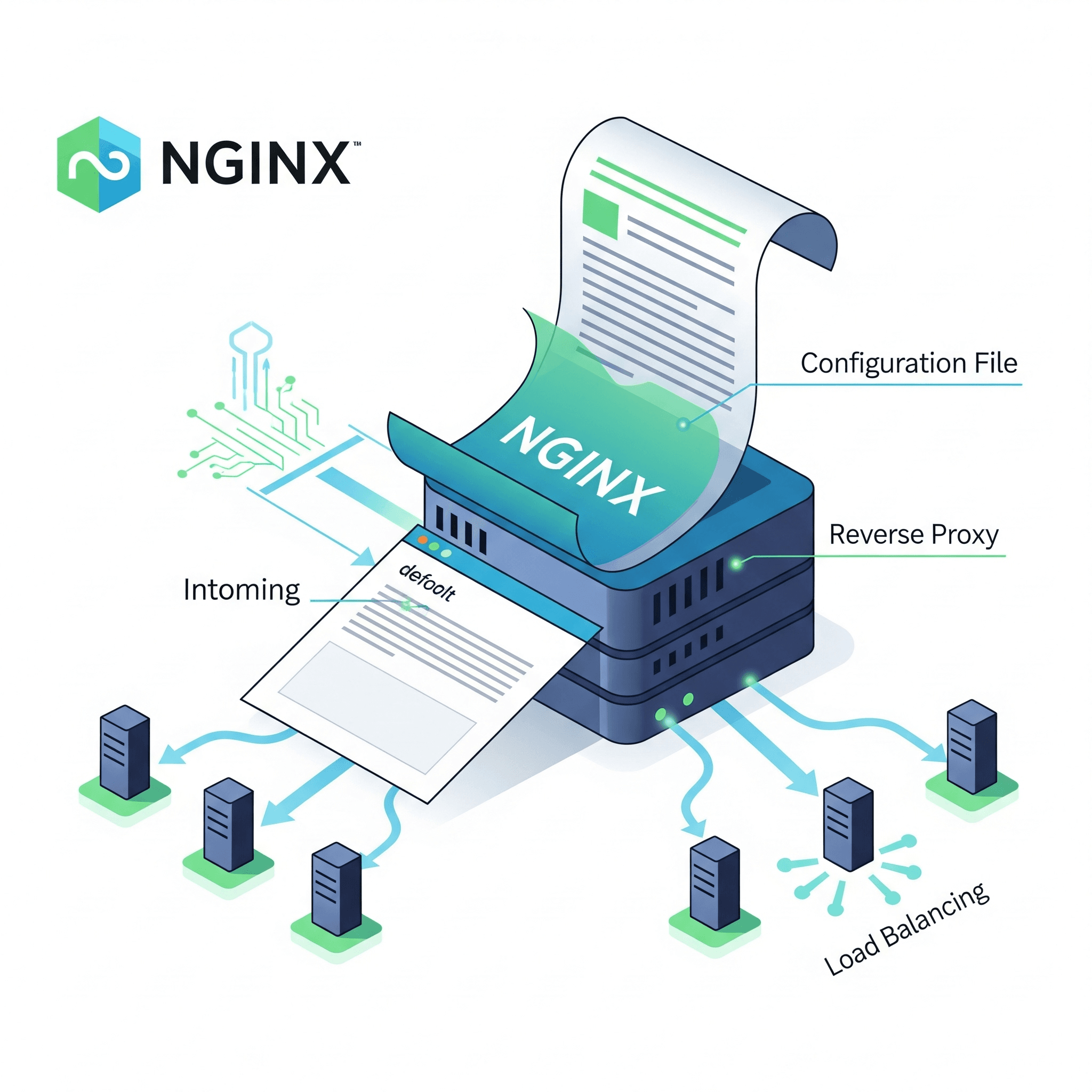
When I set up NGINX, the first thing I encountered was its default page. It was clean and simple, but not what I needed. My goal was to display my website instead, so I began exploring how everything works. That’s when I realised that NGINX is built around configuration files. It has a default setup that works well for testing, but if you want to serve your site, you need to configure it yourself.
I created a new config file for my site and linked it to NGINX, expecting everything to work immediately. However, my website was still missing, and I kept landing on the default page. After some digging, I learned that the default config was still active, so I had to disable it and properly enable mine. It seems simple now, but at the time, I struggled to understand what details I was missing.
While working through this, I stumbled upon the concept of a reverse proxy. At first, it felt complicated, but after reading and experimenting, I realised how useful it is. A reverse proxy sits in the middle, taking user requests and forwarding them to another server. This not only protects your backend but also helps manage traffic more effectively.
I also explored the idea of load balancing. Although I’m not using multiple servers yet, I found it fascinating how NGINX can distribute traffic across several servers to prevent any single server from becoming overwhelmed. For now, it’s just the knowledge I’m storing for when I eventually scale my projects.
I’m eager to dive deeper into NGINX, especially as my projects grow and I take on more challenging setups.
If you’ve worked with NGINX, I’d love to hear about your first experience. Let’s exchange ideas and keep learning!